
Knowledge base · Project as code
A plant project should read like a program, not a pile of documents
Every chemical plant project is thousands of decisions spread over PDFs, spreadsheets and drawings that cannot read each other. Keeping a team on one revision standard, with documentation that stays correct and consistent across disciplines, is the struggle of every head of a chemical engineering office. Revisions drift, and people did not evolve to police the consistency of documents: that is a job for a machine, because we expect machine precision.
Start reading1 · The broken chain
Documents that cannot talk to each other
A typical project moves through a chain of documents: a grant proposal, a process description, P&IDs, equipment lists, calculation sheets, cabinet registers, drawings and permit applications. Each one is written by hand from the ones before it.
One file feeds the next
Numbers leave the proposal as a PDF, are retyped into a spreadsheet, copied into a drawing and typed again into a permit application. Every copy is a chance for an error, and no system can follow the thread from one file to the next.
And every revision drifts
When something changes, each document has to be updated by someone who notices. One sheet is at revision C, the drawing is still at A, the permit application somewhere in between. The logic of the project lives in people’s heads, not in the files.
2 · One model
One source, many documents
In Simon Lab the project is not a folder of files. It is structured data: equipment with its parameters, lines with materials and pipe classes, instruments, control logic, cabinets, steel structures and the site, each defined once, in the application of its discipline.
Project model
line: L-104 medium: NaOH 30 % nominal_size: DN50 material: 1.4404 pipe_class: B1 from: P-101 / discharge to: B-101 / N3 inline: FT-104, HV-104- P&ID sheet
- Line register
- Piping isometric
- Equipment data
- Cabinet register
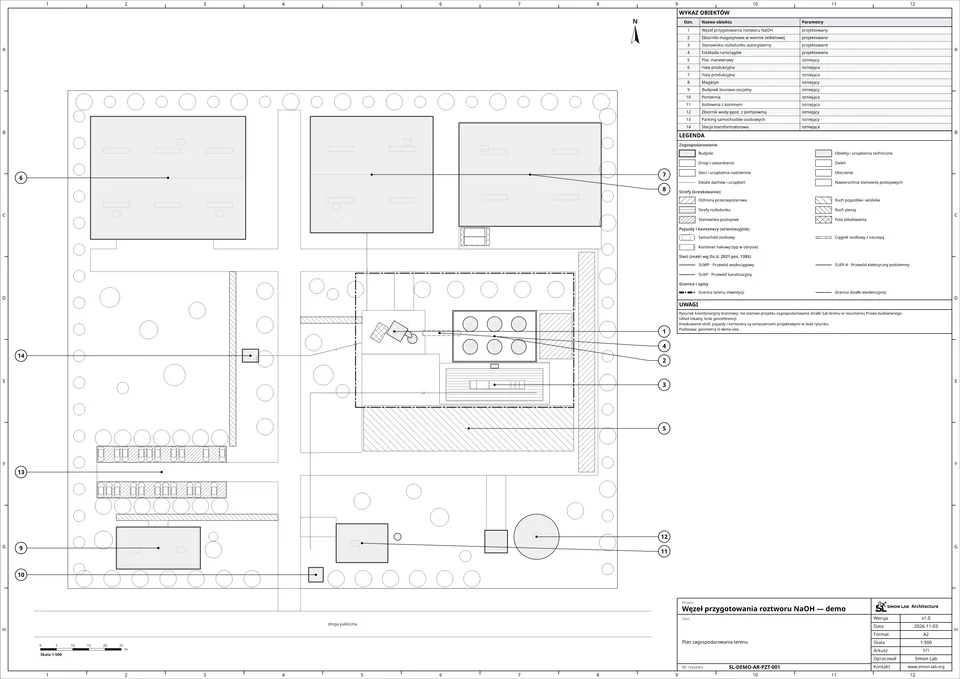
- Site plan
Defined once
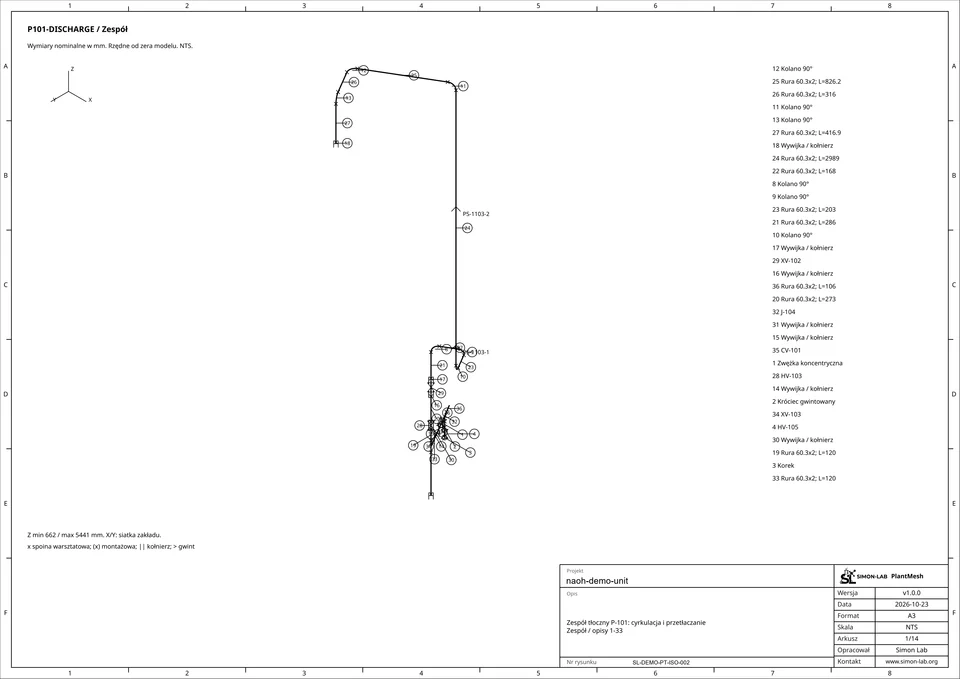
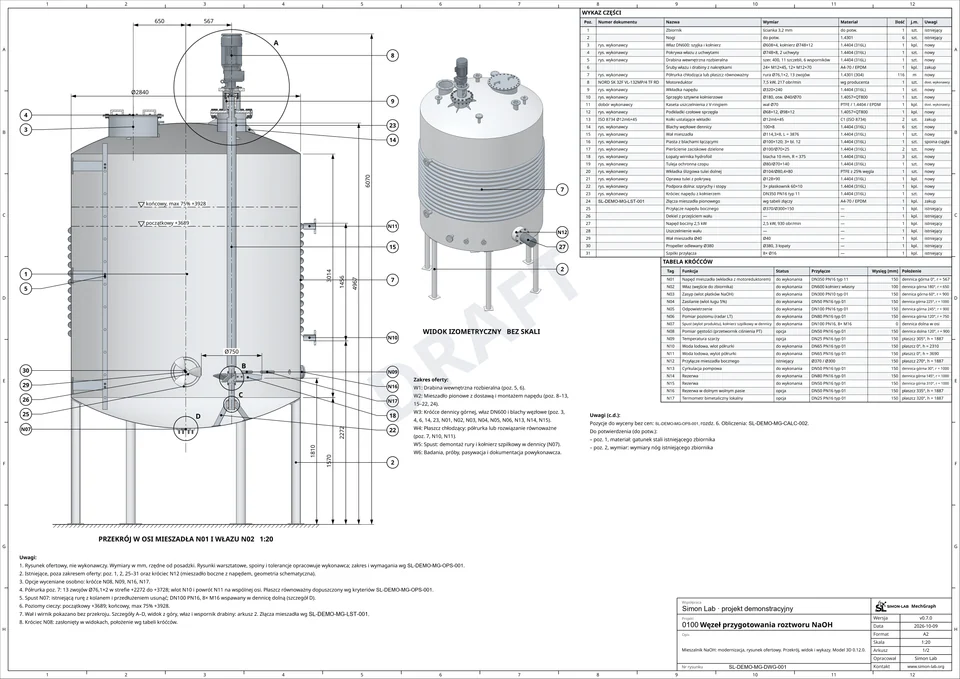
A line is defined once: its number, medium, nominal size, material and pipe class, and the equipment it connects. The P&ID sheet, the line register and the piping isometric all read that one definition.
Documents are generated
Documents are rendered from the model, not drawn beside it: P&ID sheets, equipment data, piping isometrics, cabinet registers, structural drawings and the site plan. The platform has about 45 document profiles today.
Pages for review
The PDF documents are generated from the code for the review process. They are not the source of truth: they follow from it, and the source of truth is the code.
3 · Revisions
Every change is a revision
Because the project is data, a change is not a new copy of a file. It is a new revision of the model, and its effect can be followed through everything that depends on it.
Revision log
Change L-104 · nominal_size: DN50 → DN65
-
0.10 Process basis set current
-
0.11 Equipment list issued current
-
0.12 Cabinet C-101 added current
+ cabinet: C-101+ io: P-101, FT-104Affected documents
- Cabinet register
- I/O list
- Site plan
-
0.13 Dosing sequence tuned current
~ dose.rate: throttled+ dose.limit: T ≤ 60 °CAffected documents
- PLC program
- Sequence description
- Simulation report
-
0.14 Line L-104 resized current
- nominal_size: DN50+ nominal_size: DN65- Pressure loss in L-104: lower
- FT-104: out of range, to be selected again
- P-101: in range, a cheaper model would do
Generated again
- P&ID sheet
- Line register
- Piping isometric
A history of decisions
The model keeps its revisions. Each one records a change to the data itself: a cabinet added, a sequence tuned, a line resized. The question in a review is no longer “which file is current?” but “what changed, and why?”.
One change, every document
When the nominal size of one line increases, the change reaches its P&ID sheet, the line register and the isometric, because all three are generated from that line. The model also shows what follows: the pressure loss in the discharge line drops, the flowmeter is now out of range for the pipe and has to be selected again, and the pump stays in range, although a cheaper model would now do. Nothing waits for someone to notice.
4 · Checks
Checks run like tests
In software, every change runs the tests. A project defined as data works the same way: the model is checked against physics, limits and geometry whenever it changes.
The process runs before it is built
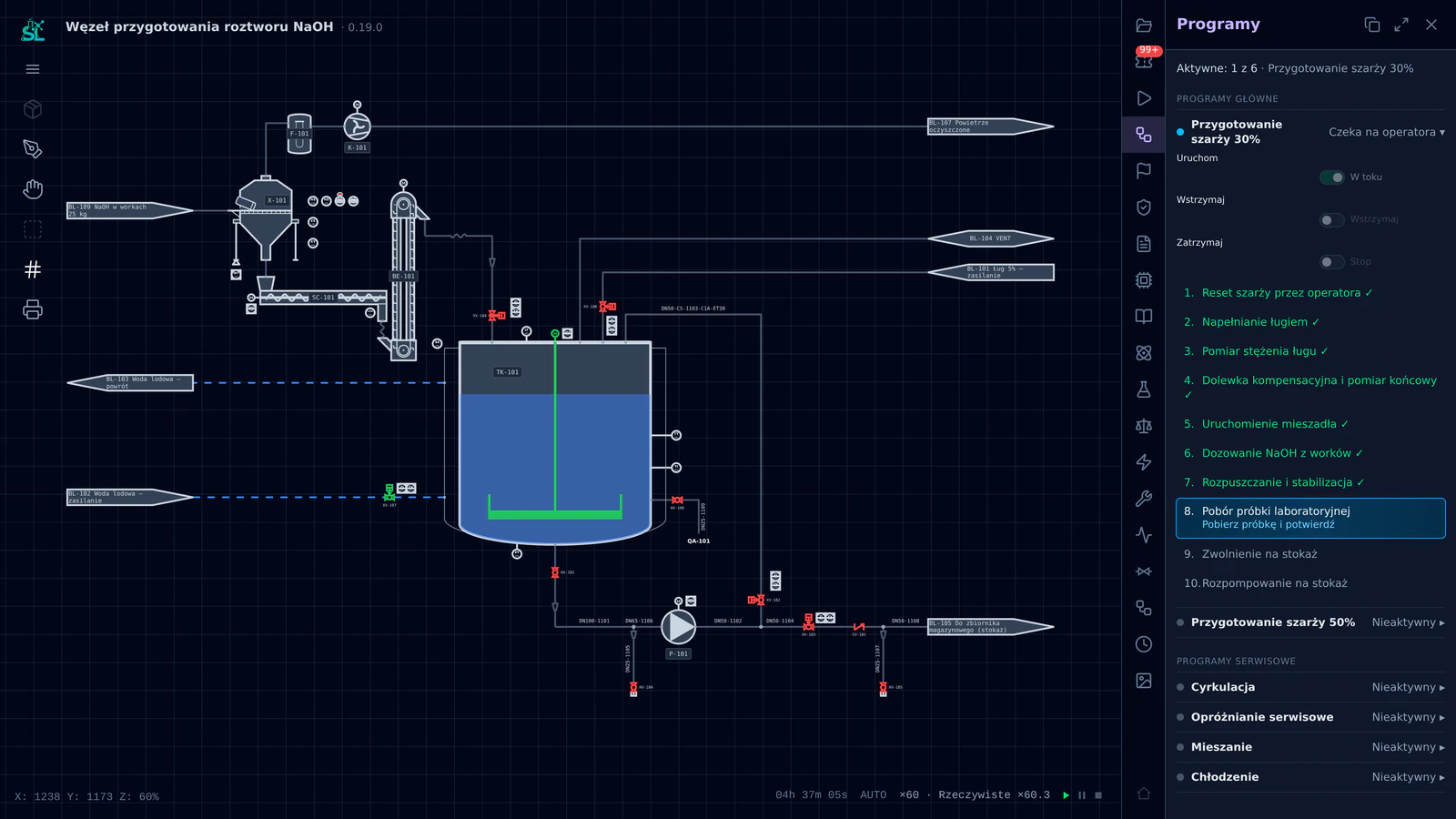
The batch program of the demonstration unit runs on an emulated PLC in the dynamic simulation. Dosing is throttled to keep the solution near its 60 °C limit, and the operator steps are proven before anything is ordered.
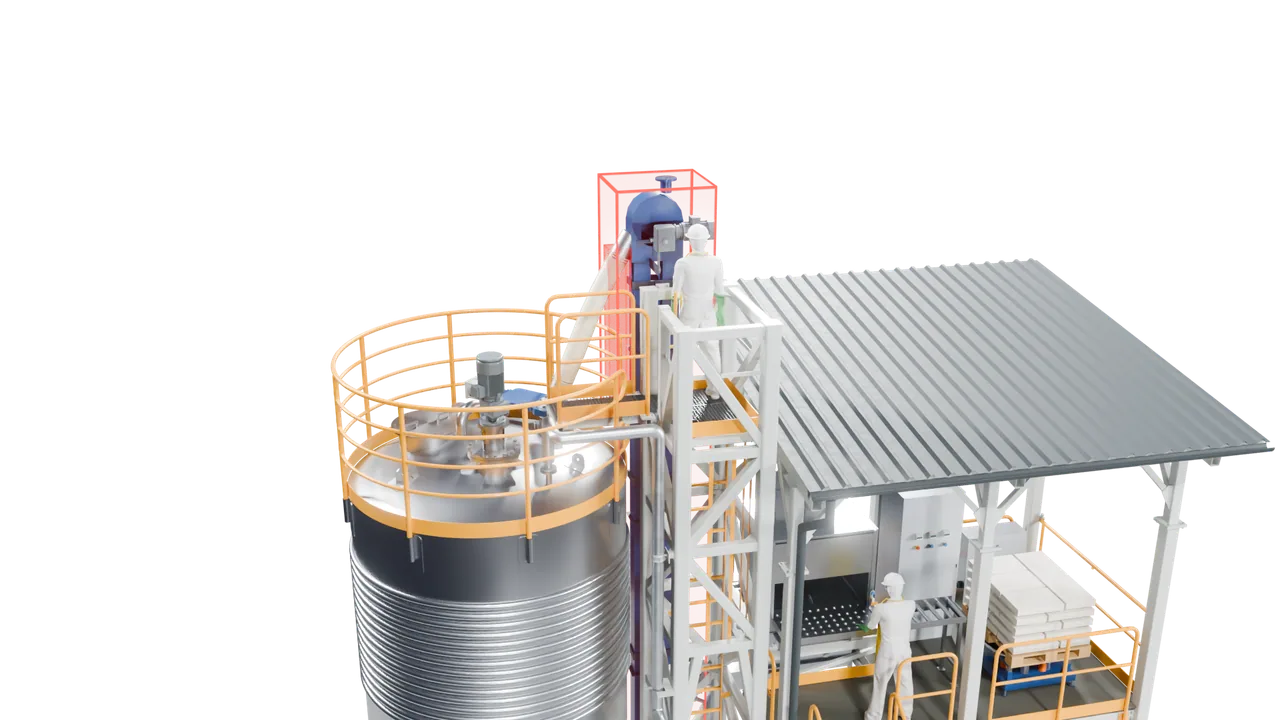
The 3D model is checked for clashes
Clash detection runs over the assembled unit. In the demonstration project it reports two envelope clashes, shown here as findings for the designer to resolve.
5 · Open formats
Import and export, in the formats you already use
An open platform has to meet the rest of the industry where it is. Data comes in from the files partners already have and leaves as the documents they expect.
In
- DXF
- XLSX
- STEP
- DOCX
- IFC
- CSV
- E57
- XML
- JSON
Out
- IFC
- 3D Tiles
- XLSX
- CSV
In and out
In: whatever the project already has, from DXF and STEP drawings and models, IFC and point clouds (E57) to PDF and Word documents, spreadsheets and data (XLSX, CSV, XML, JSON). The AI agent turns them into the form the project needs. Out: PDF document sets, IFC and 3D Tiles for the site model, XLSX and CSV registers. A partner who does not use Simon Lab still receives standard files.
6 · The team
What changes for the people who design the plant
Iteration
Scope change
Engineers decide, the model keeps the project consistent
Nothing here replaces engineering judgement. The engineer still chooses the process, sizes the machines and signs the drawings. What changes is the work around it: no retyping, no hunting for the current revision, no change that silently misses a document.
Iterations become cheap
When the scope or a regulation changes, the next iteration runs through the whole project at once. That is what we mean by project as code: not AI generating the plant, but engineering made computational.
Private beta
Run your next project as code
We work with trusted partners, one project at a time. Tell us about yours.